Screenplay title page format (with a template)
The title page is the first thing anyone reads, and the best ones say almost nothing: the title, who wrote it, and how to reach them. Everything else is a distraction.
What goes on it
| Line | Where | Example |
|---|---|---|
| Title | Centred, about a third of the way down, often in capitals | THE LAST KEEPER |
| Credit | Centred, a few lines under the title | Written by |
| Author | Centred, under the credit | Maya Okafor |
| Source (optional) | Centred, under the author | Based on the novel by… |
| Contact | Bottom left | Email, phone, or your agent |
| Date or draft (optional) | Bottom right | 2026 |
Use the same font as the rest of the script (Courier, 12 point) and no page number. The title page doesn’t count as page 1.
“Written by”, “Screenplay by” or “by”?
- Written by: the usual credit for an original script.
- Screenplay by: often used when the script is adapted from another work, together with a “Based on” line.
- by: short and common in spec scripts too.
If you write with a partner, put both names joined by “&”. That ampersand traditionally means you wrote it as a team.
A template
What to leave off
- Pictures, logos and fancy fonts.
- A logline, synopsis or character list (they go in a separate document if someone asks for them).
- “Draft 7” or “Final”: readers want to feel they’re getting the version that matters.
- A long copyright notice. A simple contact line is enough.
Making the title page in Storywriting
In a screenplay, click Edit title page (on the Dashboard or in the Settings card). A small popup asks for the title, the credit (“Written by”, “Screenplay by” or “by”), the author, an optional “Based on”, your contact details and the year, with a live preview of the page beside the form.
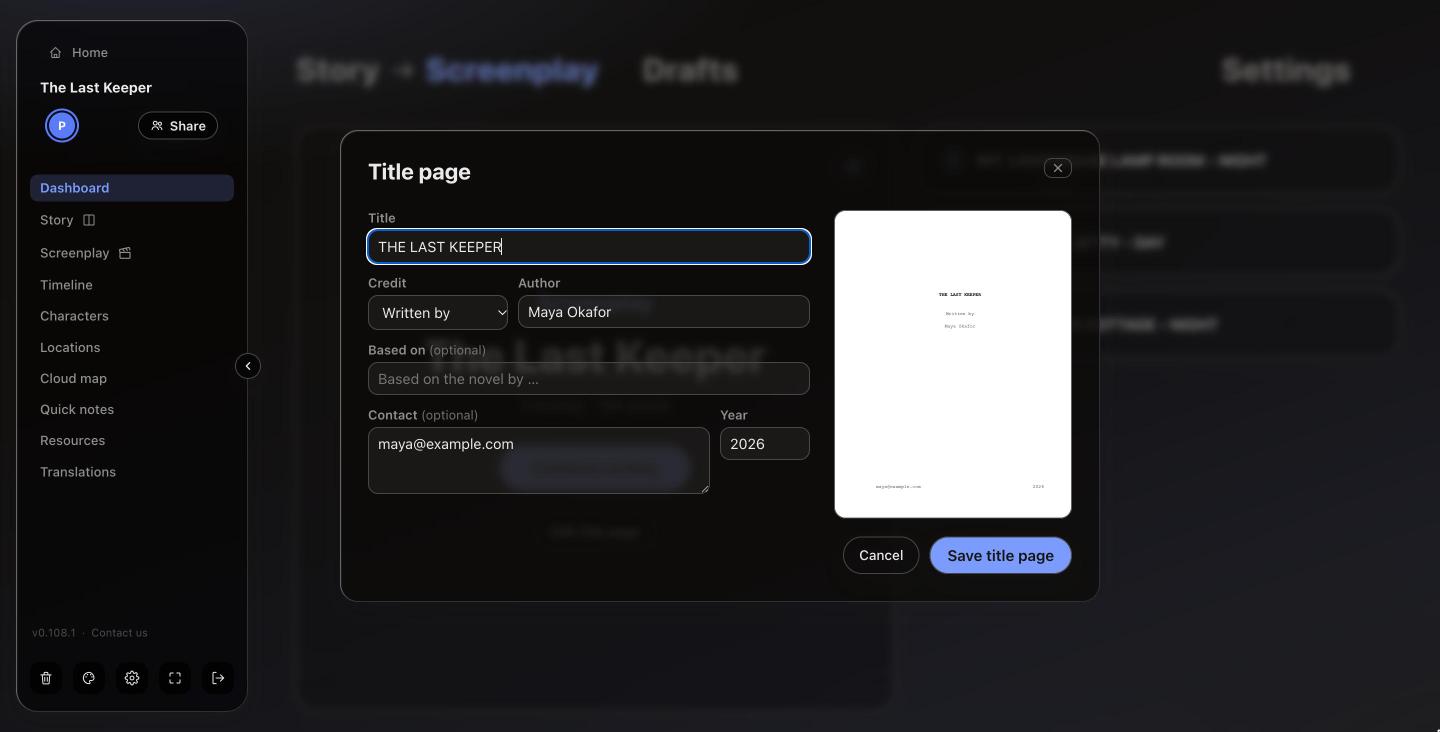
The title page then appears above page 1 in the editor and is printed as its own first page when you export the PDF, with no page number, in the same format as the rest of the script.
Tip: each screenplay draft keeps its own title page, so a draft for a contest can carry a different contact line from the one you send to a producer.